Release 2026.11
As of October 20, 2026, all customers of the Procurios Platform will use release 2026.11. In this blog you can read what is new and what has been improved.
CMS/Memberships: let members cancel their own subscription in member portal
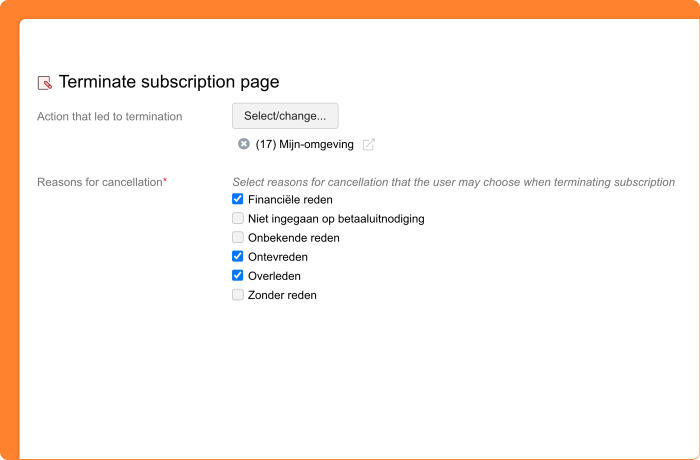
Your organization wants members to manage their own subscriptions without having to call or email. From now on, you can let your members cancel their subscription themselves in the member portal on your website.
To do this, add a cancellation page to the 'My subscriptions' article type. Your members choose the end date of their subscription themselves, which is no earlier than the next due date. You also choose which reasons your members can select when they cancel.
Does a subscription need to end early, for example because of a member’s passing or another valid reason? Then you decide how members or their relatives can let you know, such as by phone or email. Add that information in a content article on the page where the cancellation option appears.
CMS/Memberships: link the payment page to 'My subscriptions'
Do you work with payment invitations, for example for memberships in Belgium? Then you want members to see in My environment which subscriptions they can renew, and pay for them right away.
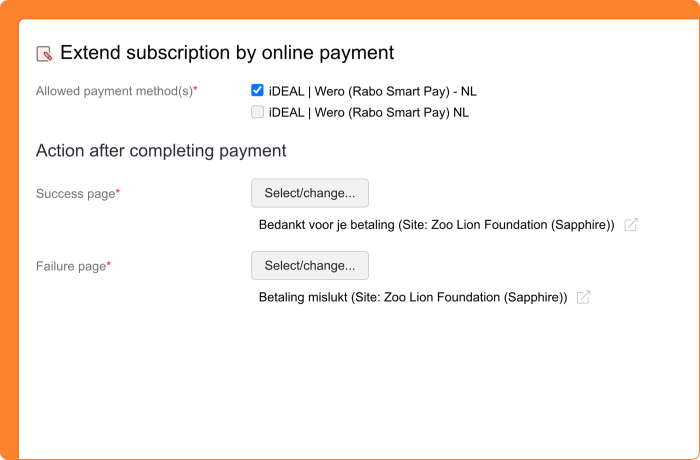
From now on, you can link your existing payment page to the 'My subscriptions' article type. Your members see a renewal link with their subscriptions and go straight to the payment page.
CMS/CRM: choose how much spam prevention each form needs
Spam through your survey and registration forms takes time to clean up and clutters your data. At the same time, you don’t want to burden your visitors with difficult checks. From now on, you set the ‘Spam prevention level’ per form, instead of adding a captcha element to the form yourself. You can find this setting under ‘Spam Prevention’ on the ‘Settings’ tab of the form.
You can choose between two levels:
- Basic: invisible protection against bots, without bothering your visitors.
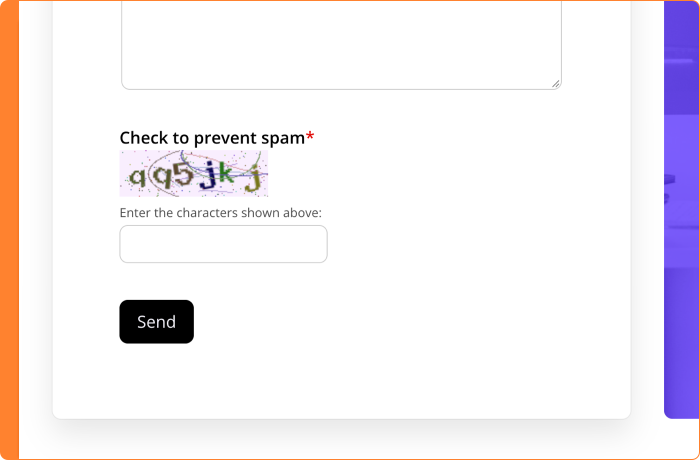
- Maximum: everything in Basic, plus a visible captcha that visitors have to complete.
Forms that already contained a captcha element have automatically been set to ‘Maximum’. For your organization, the protection of existing forms stays the same.
The invisible protection of the ‘Basic’ level has been extended. Together, these measures stop enough spam in most cases:
- A Honeypot is added by default to forms where it makes sense. You no longer have to choose between a honeypot and a visible captcha.
- Forms have a minimum completion time of one to two seconds. A visitor won’t notice, but a bot that fills in forms at lightning speed will.
- A new check based on Altcha asks the visitor’s browser to solve a small calculation. On a regular computer, nobody notices this.
- A firewall already blocks a lot of unwanted bot traffic before it reaches your forms.
Do you choose ‘Maximum’? Then you decide which type of captcha your visitors see:
- Procurios: your visitors type the characters shown in a distorted image. This image is generated and checked on your own website, so no visitor data is shared with third parties. This captcha has also been improved. It no longer stops advanced spammers, but it is still better than no protection at all.
- reCAPTCHA Enterprise: a service from Google. Your visitors usually don’t have to solve a task, and you get extra protection. However, visitor data is shared with Google. Mention this in your privacy statement and, where the law requires it, ask your visitors for consent.
Only users with the SuperUser role have access to the CAPTCHA settings.
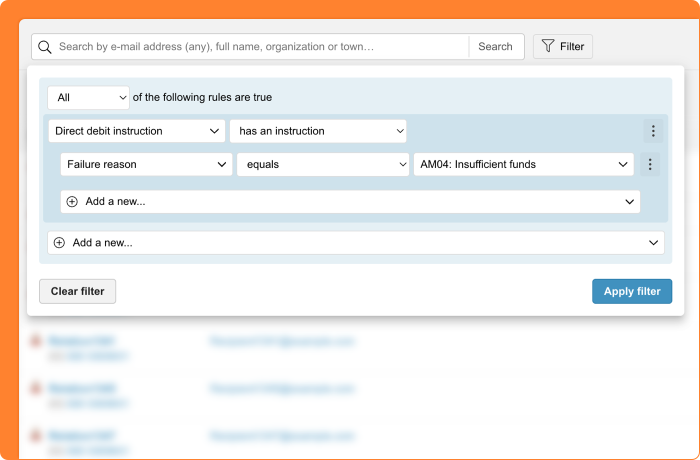
CRM: find relations with a failed direct debit by failure reason
A direct debit fails, and you want to know why. Perhaps the account identifier is incorrect, or the account has been closed. Each reason calls for a different follow-up.
From now on, the ‘Direct debit instruction’ filter in the CRM also lets you filter on ‘Failure reason’. This helps you find all relations with a failed direct debit instruction for a specific reason, such as ‘AC01: Account identifier incorrect’ or ‘AM04: Insufficient funds’.
Combine this with the failure date and you only keep recent cases. This way you can build a relation list of the relations you want to contact, for example to ask for a new bank account number. Or to follow up for another reason.
Donations: config sets with only the right funds and payment methods
Each administration in your organization has its own bookkeeping codes, payment methods, and direct debit collectors. A Dutch and a Belgian administration therefore each work with their own set. With a config set, you determine how your donors donate online: to which fund, with which payment methods, and through which collector. Because these items belong to an administration, you now always create a config set within one administration.
You can only choose from the funds, payment methods, and collectors of that administration. This way, you never link a payment method from one administration to a fund from another by accident.
A set with funds from different administrations is therefore no longer possible. Create a separate set/donation form for each administration.
Do you want to use an existing set for another administration as well? Then duplicate the set. If your environment has multiple administrations, you first choose the administration the copy will go to. If you choose a different administration, the fund, payment methods, and collector are cleared, because they belong to the other administration. You select these again, so the new set is set up correctly right away.
Platform: slightly updated login screen
Your staff and volunteers log in through the login screen of the Procurios Platform. This screen will soon get a slightly updated look. The typography has been adjusted and the ‘Forgot password’ button now sits in a slightly different place.
Logging in works exactly the same as before. Users at your organization may have questions about the new look, for example because they wonder whether it really comes from Procurios. That is why you can read about this small change here. This way, you can reassure concerned colleagues.
Do you use screenshots of the login screen in manuals or instructions for your staff and volunteers? You can update them now.
Can your users choose between languages on the login screen? The flags have been replaced with language codes.
Other changes in this release
- Meetings & Events: download the ICS file directly after registration: on the confirmation page after registering for an event, your participants can now download the calendar item (ICS file) right away. Before, they could email it to themselves. The event setting is now called ‘Show the link to download a calendar item’. If the old option was turned on, it has been switched automatically. The calendar appointment that is sent along with the confirmation email has not changed.