Release 2026.12
As of November 17, 2026, all customers of the Procurios Platform will use release 2026.12. In this blog you can read what is new and what has been improved.
CMS: choose when Google Analytics 4 is loaded
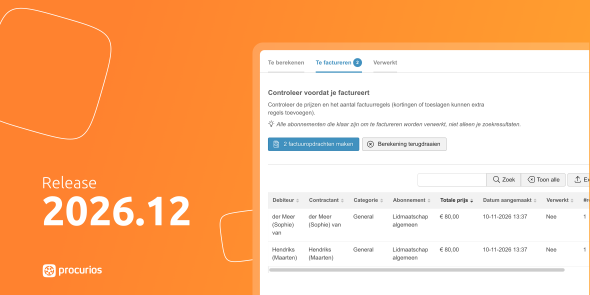
Your organization decides under which conditions visitors to your website may be tracked. That is why you also want to choose when Google Analytics 4 is loaded.
From now on, you can set in the website settings which cookie category a visitor must have accepted before Google Analytics 4 is loaded. By default this remains ‘Statistics’, so nothing changes if you don’t adjust anything. Would you rather count Google Analytics 4 as tracking? Then choose ‘Tracking’. You no longer need Google Tag Manager for this.
The names of the cookie categories have also been made consistent everywhere: ‘Essential’, ‘Preferences’, ‘Statistics’, ‘Tracking’ and ‘External’. You will find these names in your cookie settings, where you can customize them if you like.
CRM/Platform: control per function which actions department employees can perform on function assignments
Your organization has local departments that are set up with Memberships & Organizations. Department employees keep track of the functions held by board members and volunteers there. But not every function needs the same level of access. Perhaps your secretary may add and edit function assignments, while your treasurer may only view them.
That is why you can now set, in the settings of Memberships & Organizations under ‘Function assignments’, which actions each function may perform. For each action, you choose which functions are allowed to do it:
- adding function assignments
- managing function assignments
- ending function assignments
If you leave a field empty, no function may perform that action. A function only has these permissions if it also has access to ‘Function assignments’ under ‘My department’.
You can also write an explanation that is shown at the top of the ‘Function assignments’ page. Use this text to explain to your department employees how to manage function assignments, or what to do when they want to change an assignment they do not have permission to edit. You can enter the explanation in multiple languages.
This way, you decide exactly how much room your department employees get, and they know right away what is expected of them.
CRM/Memberships: searching by spread payment
Your organization may have members who pay their annual membership fee in installments, for example monthly. For your email journeys, you want to approach these members differently than members who pay once a year.
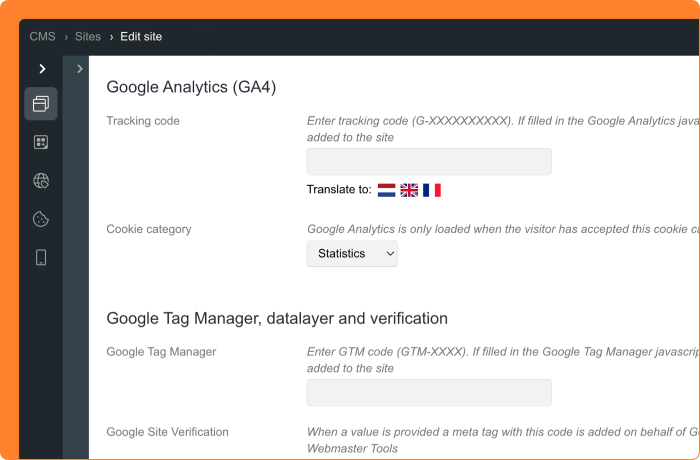
In the CRM relation filters, you can now find the search field ‘Spread payment’ under ‘Contractor’ (or ‘Debtor’) with ‘has a subscription’. If you select ‘Yes’, you see all relations with a direct debit agreement and more than one payment. This makes it easy to build a segment for your journeys, so members with a spread payment receive different content than members who pay annually.
Want to search more precisely? Combine ‘Spread payment = Yes’ with one of these search fields:
- ‘Spread payment frequency’: choose how often payments are made, from ‘Weekly’ to every six months. This lets you tell members who pay monthly apart from members who pay quarterly with ‘Every three months’.
- ‘Spread payments number’: enter the number of payments, for example twelve for monthly payments over one year.
Always use ‘Spread payments number’ together with ‘Spread payment = Yes’ and ‘Collectable = Yes’. If you filter only on the number of payments, you will also find subscriptions that no longer have a direct debit agreement.
CRM: new name for the invoicing/debtor filter
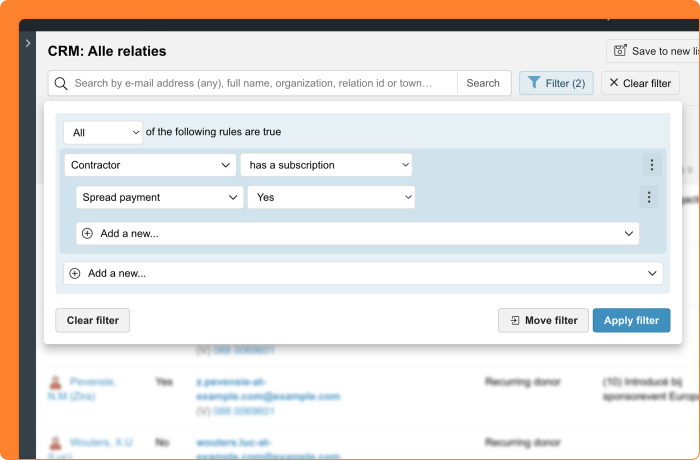
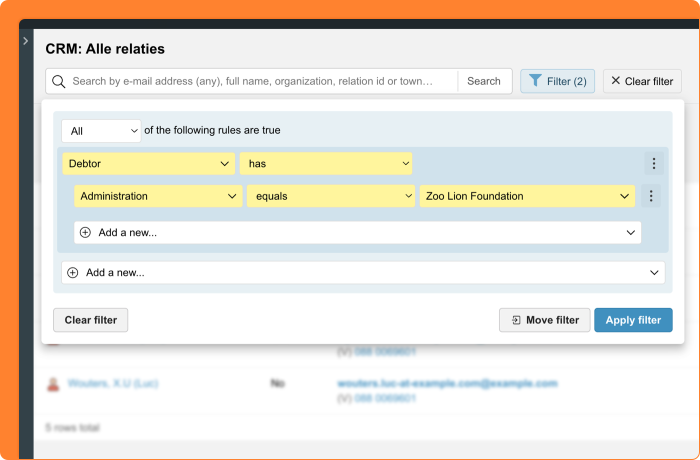
You want to quickly find the relations in your CRM who are debtors within your administration, for example to put together a group for a payment reminder. That is why the relation filter is now called ‘Debtor’ (previously ‘Invoices (per administration)’). The new name matches what you are actually filtering on: relations who are or are not a debtor.
Does your organization work with a single administration? Then you no longer need to select an administration, and that option is no longer available. The field remains visible in existing filters, so your saved filters keep working.
Memberships: clear steps from renewing to invoicing
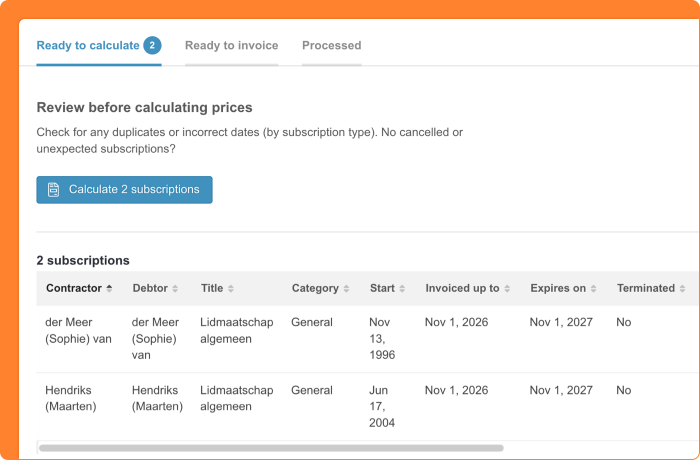
You have renewed your members’ subscriptions and are ready to move on to invoicing. In Memberships, you can now see at a glance which step you are in.
The new ‘Ready to calculate’ tab shows the renewed subscriptions that still need a price calculation. This gives you the chance to check everything before the prices are calculated. Once a price is calculated, the subscription moves to the ‘Ready to invoice’ tab. This tab lists everything that is ready to be invoiced. The term ‘invoice orders’ is no longer used here, because it could cause confusion about what happens in a step.
For your organization, this means the tab names tell you what is expected in each step. Your colleagues need less explanation and your documentation gets a lot shorter.
Platform: horizontal scrollbar for tables always in view
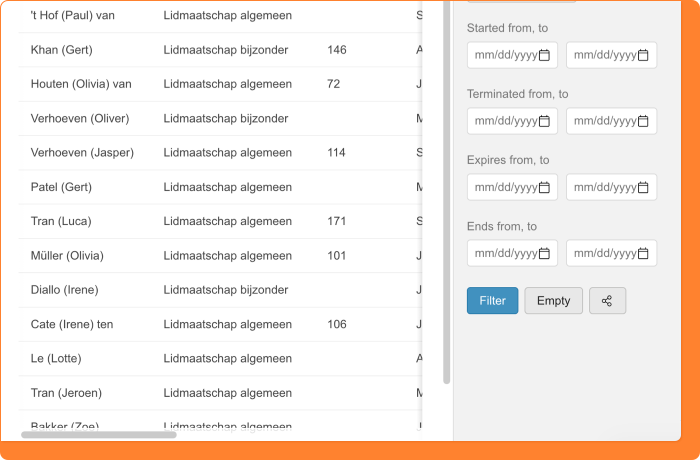
You work with wide tables in the CRM and want to quickly scroll to the right to see all columns. From now on, a horizontal scrollbar always appears at the bottom of your screen whenever a table is wider than the screen. This means you no longer have to scroll down to the bottom of the page to move sideways through a table. This scrollbar works exactly like the table’s own scrollbar.
This applies to all tables in the platform. Even when a page contains multiple tables, it stays easy to use. The scrollbar is also visible when your computer hides scrollbars by default, as with some Mac settings.
Other changes in this release
- CRM/Memberships: in the subscription filters under ‘Contractor’ and ‘Debtor’, you can now search by ‘Mandate number’. This also lets you find the contractor of a subscription when you only have the mandate number, even if someone else pays the bill.