Release 2026.10
As of September 22, 2026, all customers of the Procurios Platform will use release 2026.10. In this blog you can read what is new and what has been improved.
CMS/Finance: select multiple administrations for 'My invoices'
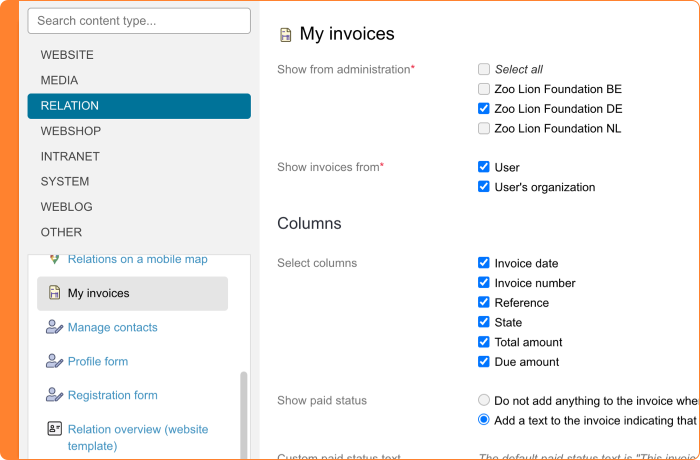
Does your organization work with multiple administrations, for example for different legal entities or departments? The 'My invoices' content block lets you show invoices to your members or donors on your website. You're no longer limited to choosing one administration or all of them together. You can now select your own combination of multiple administrations. This way, you decide exactly which invoices your members or donors see.
Read more about setting up 'My invoices' in the Help Center.
Finance: more insight into the structure of your journal entries
From Accounting, you regularly send journal entries to your accounting software. Sometimes you notice an amount or a general ledger account that you can't immediately explain. Until now, it was hard to find out exactly where this came from.
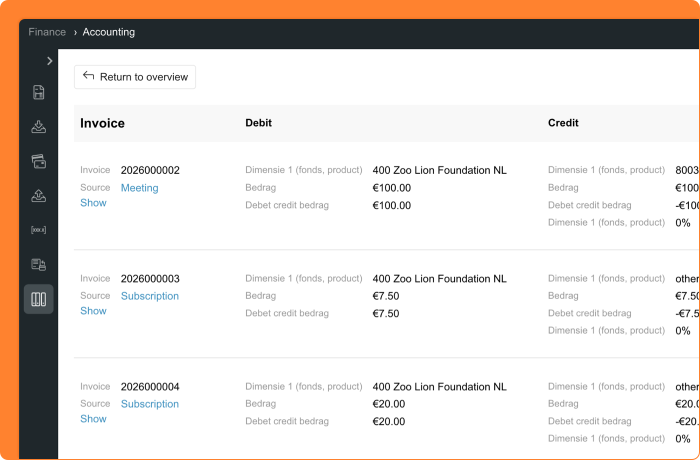
That is why you now find the new 'View report' option in the period overview within Accounting. This gives you insight into how your journal entries are built, even before you run the accounting export. In the overview, you see the financial data exactly as it appears in your journal entries. This way, you can check at a glance whether everything is correct, or if something needs your attention.
Want to know more? Open the detail page of a report. Here you see how the journal entries are built up per product, such as invoicing, online payments, or bank transactions. You see the source data (for example an invoice number or a link to the meeting or membership), the general ledger account, the amounts, and VAT where applicable. Prefer to work with an overview in a CSV file? Then export the details separately from the detail page. This export shows the same information as the report, with the financial source data added.
The columns you see are based on your journal entry configuration. If you haven't set up a column for the general ledger account in your accounting export, you won't see it here either. Do you use the standard export definitions for Exact Online or King? Then the information is based on that specific configuration. Do you work with Twinfield? Then the entries are already split out, but the detail view still gives you more information.
Read more about journal entries in the Help Center.
Meetings & Events: set time zones for international events
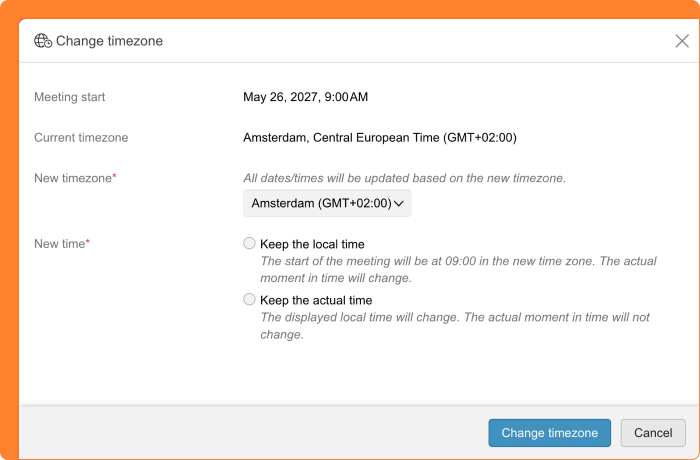
Does your organization run events in multiple countries? Then you want your platform to keep up with you. From now on, you can set a specific time zone for an event. You enter dates and times based on the time zone of that particular event, and your website clearly displays this time zone too. This way, your attendees always know exactly what time to expect, whether the event takes place in Amsterdam, New York, or Nairobi.
Please note: this depends on your website template. The Sapphire template supports this by default. Do you use a custom template? Then it may still need to be added. Please contact your account manager or dedicated consultant about this.
You can activate the use of time zones in the general settings of Meetings & Events.
Memberships: set surcharges as a percentage
Do you charge extra for members who don't pay by direct debit, or for another exception to your standard rate? When setting up a surcharge rule for memberships, you can now choose a percentage as well as a fixed amount. This way, the surcharge automatically scales based on the membership price.
This option works the same way as setting a percentage for a discount rule.
Read more about setting up discount and surcharge rules in the help center.
Platform: a calmer way to navigate the menu
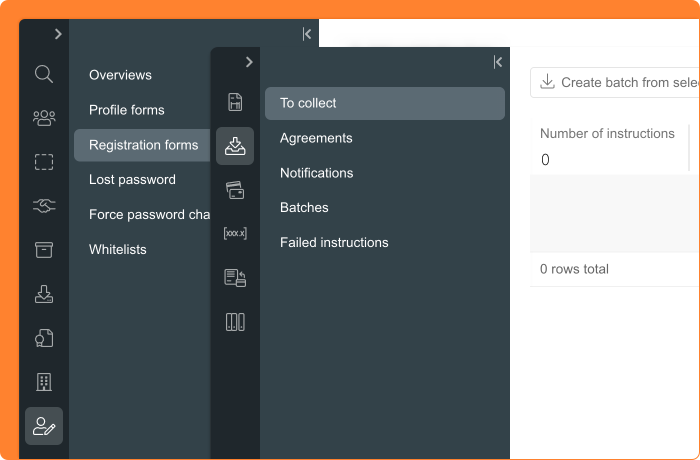
You often use the menu on the left side of the platform to switch between sections. This menu has been refined in a few ways, so navigating feels even smoother.
If you've collapsed the menu, moving your mouse over a menu item now shows just the title of that item, instead of the whole menu expanding right away. This creates a calmer view. Want to expand the full menu? You can still do that with the expand/collapse button.
It's also easier to see which menu item is active. Previously this was shown with a blue line, now the active item stands out with a clearly different background color.