Release 2026.04
As of April 7, 2026, all customers of the Procurios Platform will use release 2026.04. In this blog you can read what is new and what has been improved.
CMS: clearer page and category editing
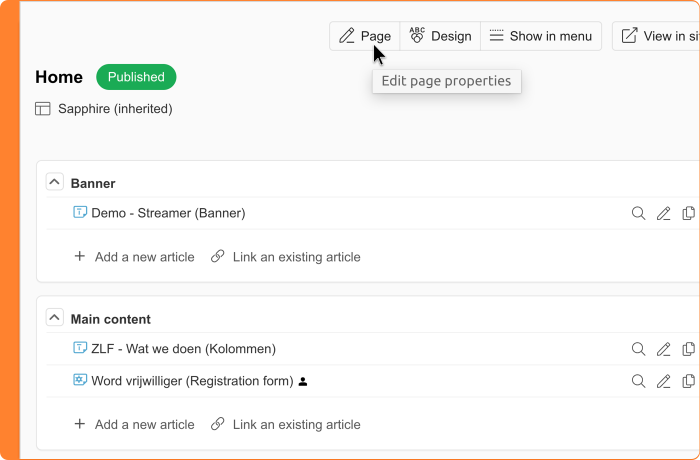
When managing your website in the CMS, you regularly work with both pages and categories. Each has its own settings, such as titles, access rights, and SEO information. The button to open those settings used to be labeled 'Edit', which didn't always make it immediately clear what you were about to change.
From now on, that button is labeled 'Page' or 'Category', depending on the context. This makes it clear at a glance what you're editing, and the button better aligns with the other buttons in the toolbar. The functionality itself remains the same.
Finance: export direct debit agreements
When a subscription is set up through a registration form with a direct debit agreement, your member enters their IBAN on that form. That information is stored with the direct debit agreement itself, not with the relation. As a result, the IBAN is not available at the relation level for exports or other uses.
You can now export direct debit agreements. The export gives you an overview of all direct debit agreements, including the associated IBAN details. If you want to make the IBAN available on the relation's record as well, you can use the export data to import the IBAN field to the relevant relations via a relation import.
Keep in mind that a relation can have multiple direct debit agreements. Which IBAN you import to a relation is your choice. If an IBAN changes later in a direct debit agreement, a new export and import will be needed to keep the data up to date.
Meetings & Events: clearer names for registration statuses
A relation has registered for your event, but emails you two days beforehand to let you know they can't make it. You update the status manually in Meetings & Events. But which status do you choose: A relation has registered for your event, but emails you two days beforehand to let you know they can't make it. You update the status manually in Meetings & Events. But which status do you choose: 'Opted out' or 'Cancelled'? And what does it mean when the event itself is also canceled?
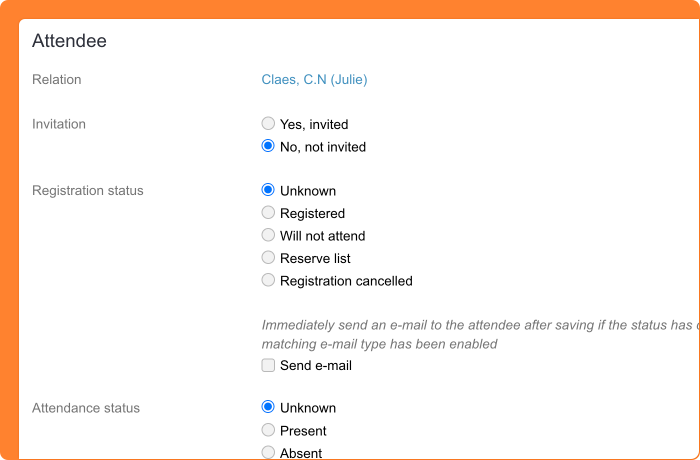
To clear up this confusion, the status names have been updated. From now on, you'll use:
- 'Unknown': for a relation whose attendance is not yet confirmed. Previously, this status was called 'No response'.
- 'Will not attend': for a relation who has indicated they won't be coming, but who never registered. Think of an RSVP where someone confirms their absence.
- 'Registration canceled': for a relation whose existing registration has been canceled. Because the word 'registration' is explicitly included, there's no longer any confusion with a canceled event.
The field titles 'Is registered?' and 'Was present?' have also been renamed to 'Registration status' and 'Attendance status'. In addition, the names of email events have been clarified.
Meetings & Events: fast check-in with the QR code scanner
Your general assembly starts in five minutes and there's a line of a hundred people at the door. Manually checking off names on a list takes time and creates a bottleneck at the entrance.
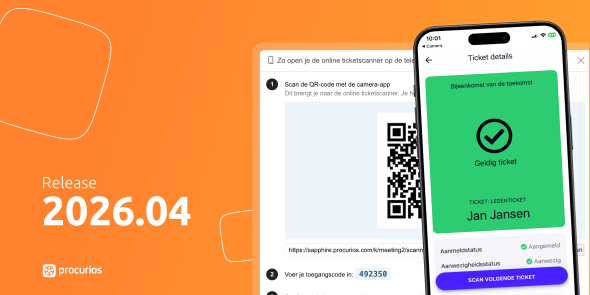
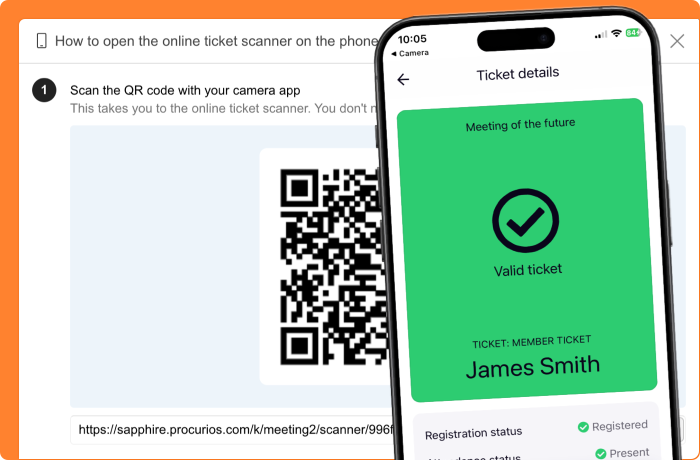
With the new check-in feature, you scan participants in as they arrive using the QR code on their ticket, straight from the browser on your phone. No app, no printed lists. Each participant is automatically marked as present in Procurios. Afterward, send a thank-you email only to those who actually attended, or a 'We missed you' message to everyone who didn't show up.
Enable 'Check-in' for your event under the tab of the same name in the event settings. There you specify which relations from your CRM are allowed to operate the scanner. They open it using a personal QR code and a access code, without needing an account.
Every participant automatically receives a QR code in their confirmation email. Want to include it in another email too? Use the token ##checkInQrCode##. You can also test without sending an email: the QR code is available in the participant overview under the registration details. Please note that the scanner requires an internet connection.
Learn more in the Help Center: how to manage attendance status, setting up check-in for a meeting, and organizing check-in on the day of your meeting.
Meetings & Events: registration status 'Will not attend' and 'Reserve list' only available when the feature is enabled
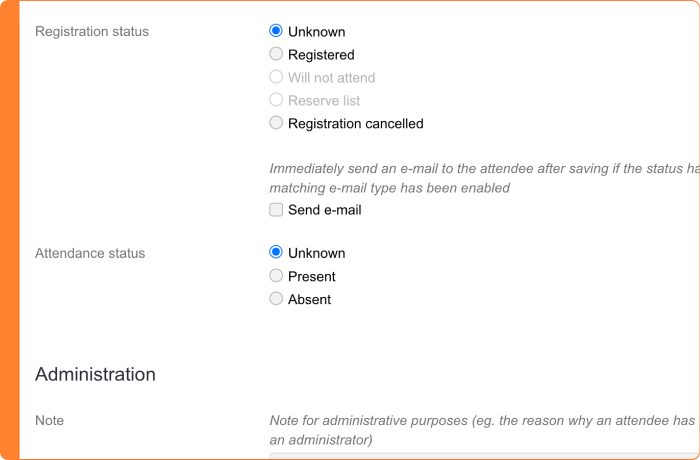
In Meetings & Events, you can configure per event whether you're working with a reserve list or with the option for relations to indicate they won't be attending. Previously, the corresponding statuses 'Reserve list' and 'Will not attend' (with their previous names) were always visible, even if you hadn't enabled these options for that event. A colleague could accidentally select a status that wasn't applicable at all.
From now on, these statuses are only available when the corresponding feature is enabled for that event. This ensures that what you see always matches what you've configured, preventing unintended choices in your participant management.
You can still set up emails for these events before enabling the feature. That way, you can get your email communication ready first, and then turn on the reserve list or RSVP option when you're good to go.
Read more about enabling a reserve list or RSVP-options in the helpcenter.
Platform: link directly to dialog windows
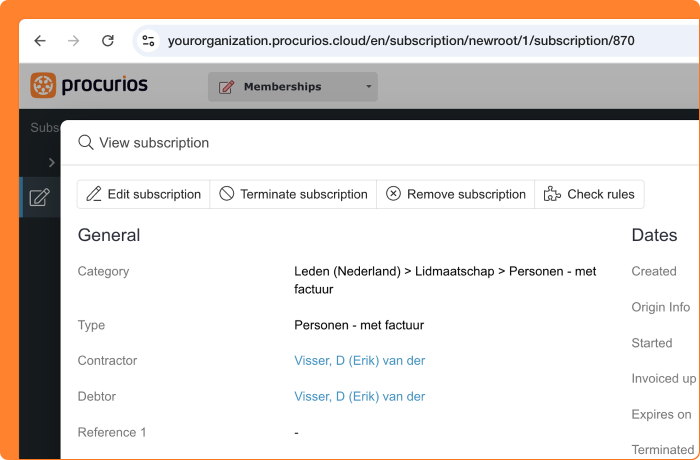
When managing your platform day-to-day, you regularly navigate to detail pages that open in a dialog window. For example, the settings of a specific subscription or a relation's profile. If you wanted to share that exact page with a colleague or the support team, you had to explain step by step where to click. That takes time and leaves room for confusion.
From now on, the URL in your browser updates automatically when you open a dialog window. That means you can copy and share the URL directly. Your colleague or support agent clicks the link and lands in exactly the right place.
This works in a number of places across the platform, including pages where you manage subscriptions and relations. For website pages, online store products, and product catalog items, this is not yet available.