Release 2026.08
As of July 28, 2026, all customers of the Procurios Platform will use release 2026.08. In this blog you can read what is new and what has been improved.
CMS/Communities: overview of unread messages
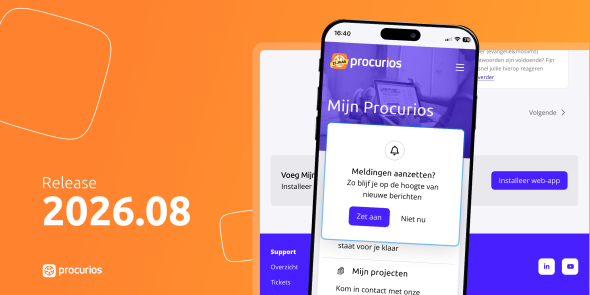
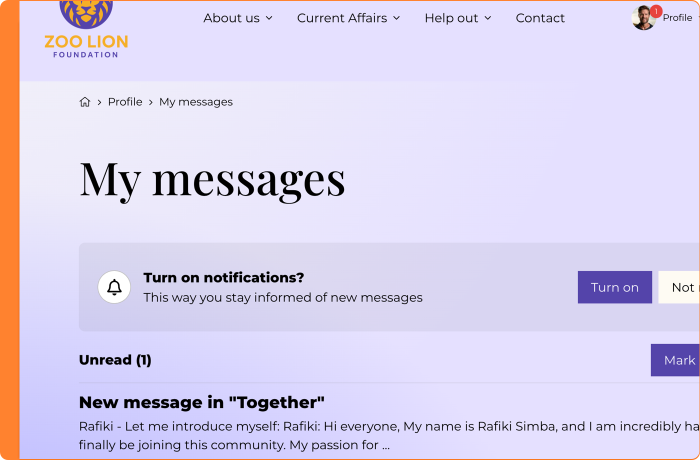
Do you want members, donors, or staff to see which messages they haven't read yet? And to get a notification when they're not on your website? Now you can, with the 'My notifications' article.
Place the 'My notifications' article on a page, and visitors see an overview of their unread messages, plus the last 20 messages they've already read. Is there a new message? A badge (a red dot with a number) automatically appears next to the corresponding menu item.
Visitors can also turn on push notifications. These appear at the operating system level, even when the visitor doesn't have your website open. On a laptop or computer, this works directly through the browser: no web app is needed for this.
Want visitors to receive notifications on their phone too? Then set up your website as a web app as well. Read more about this in the release note 'Turn any website into an installable web app'.
Find out more in the Help Center
CMS/Communities: turn any website into an installable web app
Your organization probably manages multiple websites for different audiences. Think of a member portal (with or without a community), but maybe also an intranet for your own staff. For quick, recurring use, it's handy if that specific environment is just as easy to open as an app, without having to open the browser and look up the right website first.
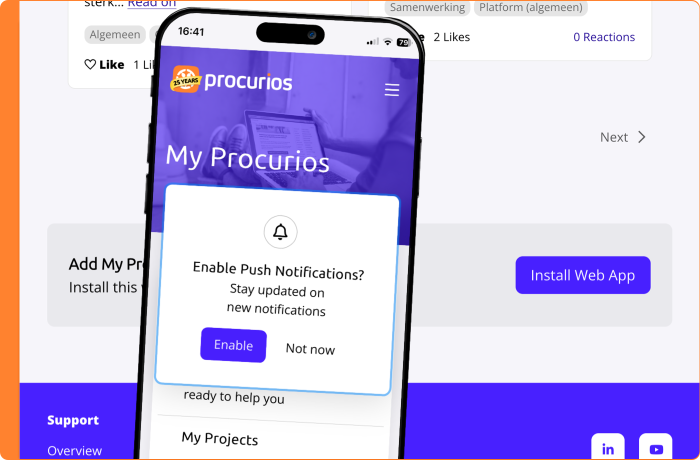
That's why you can now turn any website into its own web app. This has several advantages. You decide on the icon yourself, so it matches your own branding. The experience is also identical to the website, minus the browser bar getting in the way. And the web app can be installed on both laptop and phone.
Does your organization have its own intranet, for example? Then you can now offer that as a web app to your staff too. Handy if you want to make certain relationship lists easily available, without staff having to open their laptop to search the CRM of the Procurios Platform. The internal community is also easy to use there.
For your members' or donors' communities, this also solves another problem. Until now, the Procurios Communities app offered this option, but this app is no longer being developed further. Did your organization use the non-branded version of the app? Then it showed the Procurios icon instead of your own branding. On top of that, a member could only link the app to one organization. For example, is someone a member of your association and of another association that also used the app? Then they had to choose, and couldn't switch easily between both communities. Because every website now gets its own web app, your members can simply install and use multiple communities side by side from now on.
One important difference from a regular app: you won't find the web app in the App Store or Play Store. Users install it through the browser. Exactly how that works differs per browser.
Under 'CMS > Manage > Websites' you'll now find the 'Web apps' section. Here you create a web app per website, with a name, description, colors, and your own icons.
Want to help your members or staff with installing it? Point your visitors to the web app by placing the 'Web app install button' article on your web pages. Want users to see an overview of their unread messages? Place the 'My notifications' article. See also the release note 'Overview of unread messages'.
Find out more in the Help Center
CMS/Library: more control over your document archive on the website
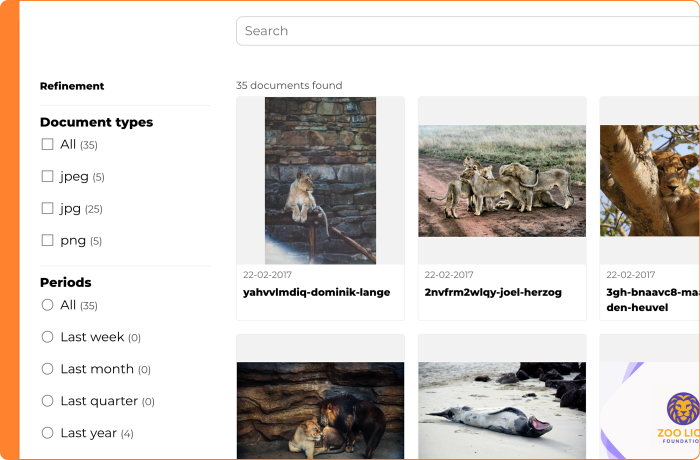
Does your organization showcase an extensive archive of documents on your website, such as old association magazines, annual reports, or research publications? The document index is a common way to do this, and this feature has now been significantly improved.You can now decide whether visitors download a file directly or open it in the browser. This is useful, since most browsers now have a solid built-in PDF viewer.You also choose between a list view and a thumbnail view. The thumbnail view immediately shows a preview of your PDF files and images, so visitors can recognize the right document faster.
In addition, you decide which information is visible for each document. Alongside 'created by' and file size, you can now also turn 'upload date', labels, and description on or off individually. This way, you only show what's relevant. For an archive that was uploaded all at once, for example, the upload date isn't very interesting.
Is a document's description long? It's now expandable. If the text is longer than 160 characters, it's shortened with the option to read the full text. Line breaks in the text are displayed correctly, so you can, for example, present a table of contents clearly.
The filters can also be adjusted: you decide whether visitors can filter by document type and upload date, or leave these options out.
CRM: clearer names and buttons for managing relation lists
When you manage your relation lists in the CRM, you regularly adjust a filter, share a list with colleagues, or check which columns are shown. Some buttons and settings had a name that didn't immediately make clear what they did. The 'original filter' view also looked a lot like a regular relation list, even though it serves a different purpose.
To make this clearer, the following names and layouts have been updated:
- The 'Public' and 'Private' setting is now called 'Share with others' and 'Stop sharing'.
- 'Manage quick search' is now called 'Search settings'.
- 'Column management' is now called 'Columns'. You'll also find 'default sorting' in this same place from now on. This way, you can see in one overview exactly which column determines the default sorting.
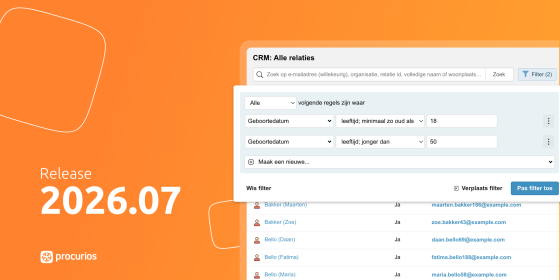
The 'original filter' view has also been updated. This is where you view the underlying filter of a relation list and adjust the filter rules. Its layout now deliberately differs from a regular relation list, so the focus stays on the filter itself:
- You can now easily expand and collapse the filter, so you can better check whether the relations you expect actually show up with these filter rules.
- The 'Clear filter' button has been removed here, since it didn't serve a purpose in this context.
- The 'Move filter' button has also been removed here. Within your regular relation lists, 'Move filter' is still available.
- The button used to update the filter is now called 'Filter' instead of 'Apply filter'. This avoids confusion, since the original filter isn't overwritten right away. If you make a change, the 'Apply changes to list' button appears after filtering. That's the button that actually saves your adjustment.
CRM: manage role assignments within Local Administration
Does your organization have local departments, with a department administrator who keeps track of roles like board members and volunteers? Until now, only a central administrator could create and change these role assignments in the CRM. Department administrators couldn't do this themselves, which meant this task always ended up with the central organization.
That's why you can now set up, within Memberships & Organizations, that a department administrator can manage role assignments on their own. Once you've configured this, the 'Role assignments' option appears under 'Local Administration' in the CRM. Your department administrator sees all relations with an active or upcoming role within the department there, and can add or update them.
You decide which roles get access to this page, which roles they can view, and which roles they can manage. A department administrator can only manage roles that have been enabled for this, and only for relations who are members of their own department. Does someone hold a role within the department but is no longer a member? Then the department administrator can still end the role assignment. Just like elsewhere in the CRM, deleting a role assignment isn't possible.
Note: this feature only works if Memberships & Organizations is set up correctly, with a relation view for the department and the right target relation. Contact your consultant to activate this for your organization.
E-Commerce/CMS: swipe through product images in your webshop
A good photo sells. If you want visitors to your webshop to fall in love with a product, you need to show it from every angle. Whether someone is looking at a sweater, a gift package, or a ticket in your webshop, you want them to browse the photos effortlessly and get a complete picture. That builds trust and leads to more sales.
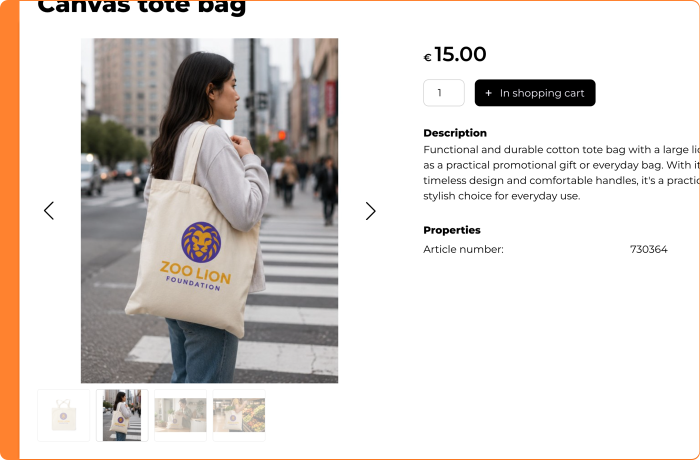
Until now, your webshop offered two separate settings for product photos: one for the main image and one for the additional photos. Because these worked independently, browsing multiple photos didn't feel smooth. Clicking a photo did open a larger view (the "lightbox") where visitors could click through all the images.
From now on, you can choose a new display for your webshop: a slideshow with thumbnails below the main image, so visitors can easily swipe through and see at a glance which other photos are available. This way, every product gets the attention it deserves and visitors can make a well-informed purchase decision.
Visitors can still zoom in through the lightbox from the slideshow. Both views stay in sync. On top of that, the lightbox itself has been improved: images load faster and the quality now matches modern screens.
You can change the display type yourself in your webshop's HTML settings. Your website's layout may need a small adjustment as a result. A great opportunity to sit down with our interaction designers and take a fresh look at your webshop's layout. Contact your account manager to discuss the options.
Finance: support for the newest CAMT.053 format (v8) - end of life MT940 coming up
When processing bank transactions, for example for donations, membership fees, or invoices, your organization When processing bank transactions, for example for donations, membership fees, or invoices, your organization depends on the file format your bank provides. Banks are increasingly moving from the older MT940 format to CAMT files, and this CAMT standard is updated regularly.
As of this release, the platform also supports the newest version of CAMT.053, version 8. This means you can count on your organization's bank transactions being read and processed correctly in the future, even as your bank moves to this newer version. Older versions of CAMT.053 will continue to work.
We also recommend switching from MT940 to CAMT for your bank transactions as soon as possible, if you haven't already. More and more banks are discontinuing support for MT940. Rabobank, for example, will stop supporting it entirely as of November 15, 2026. Does your organization currently still use MT940 files? Then it's a good idea to make the switch to CAMT now, so processing your bank transactions continues without interruption.
Tip: with automatic bank transactions via Ponto, you'll never have to import bank transactions manually again. Read more about this in the help center.
Library: faster previews of your PDF files
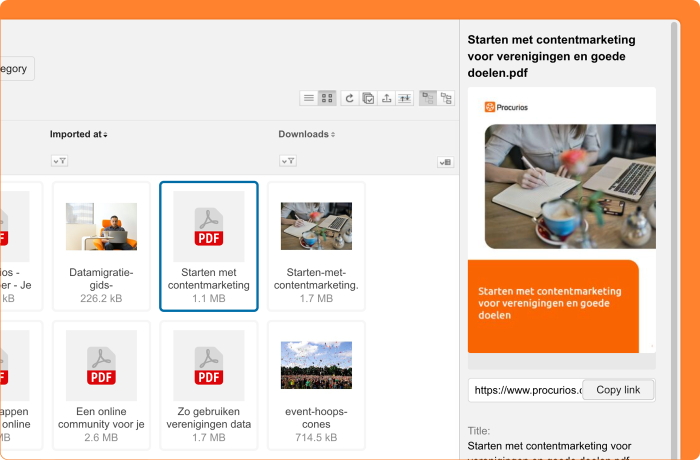
Your organization likely stores many documents in Library, from annual reports to forms. For images, you could already see a preview right away in the sidebar. For PDFs, however, you only saw an icon, so you had to open the file first just to check whether it was the right one.
From now on, Library also shows a preview of your PDFs in the sidebar. This lets you recognize the right document at a glance, without opening it.
These previews are cached, just like image previews. This means your platform's speed stays the same in most cases. Only the first time a PDF preview is generated may take a little longer.
Meetings & Events: export evaluation results without relation details
When organizing events, it's valuable to know how your participants experienced them. Meetings & Events lets you set up an evaluation that participants fill in after the event. Sometimes you want to share those results with others, for example with a program committee, an external trainer, or a speaker. Until now, the export of evaluation results always included the name and ID of each respondent. That made it harder to share results outside your organization, especially when you prefer to keep personal data internal.
From now on, when exporting evaluation results, you choose whether to include relation information or not. Want to share the results with third parties? Choose the export without relation information. Need internal insight into who filled in what? Choose the export with relation information.
Read more about setting up evaluations in the Help Center.
Other changes in this release
- Set decimal separator for journal export (Finance): When exporting journal entries, you may run into accounting software that requires a comma as the decimal separator instead of a period. You can now set this yourself. In the export screen, choose a period or a comma in a new field. The period remains the default option.
- Updated text in the CMS 'Login' article: The labels and help text in the CMS article type "Login" have been clarified. Technical terms such as "implementation" and "session options" have been replaced with plain descriptions, so non-technical administrators can immediately understand what each setting does.